Upload a 3D file
Attach a 3D Gaussian Splat to a product in three clicks.
Before you start
- Put your 3D Gaussian Splat in a
.zipfile. See Supported formats for what the ZIP can contain. - Your free trial or Premium plan must be active. See Plans and free trial.
Steps
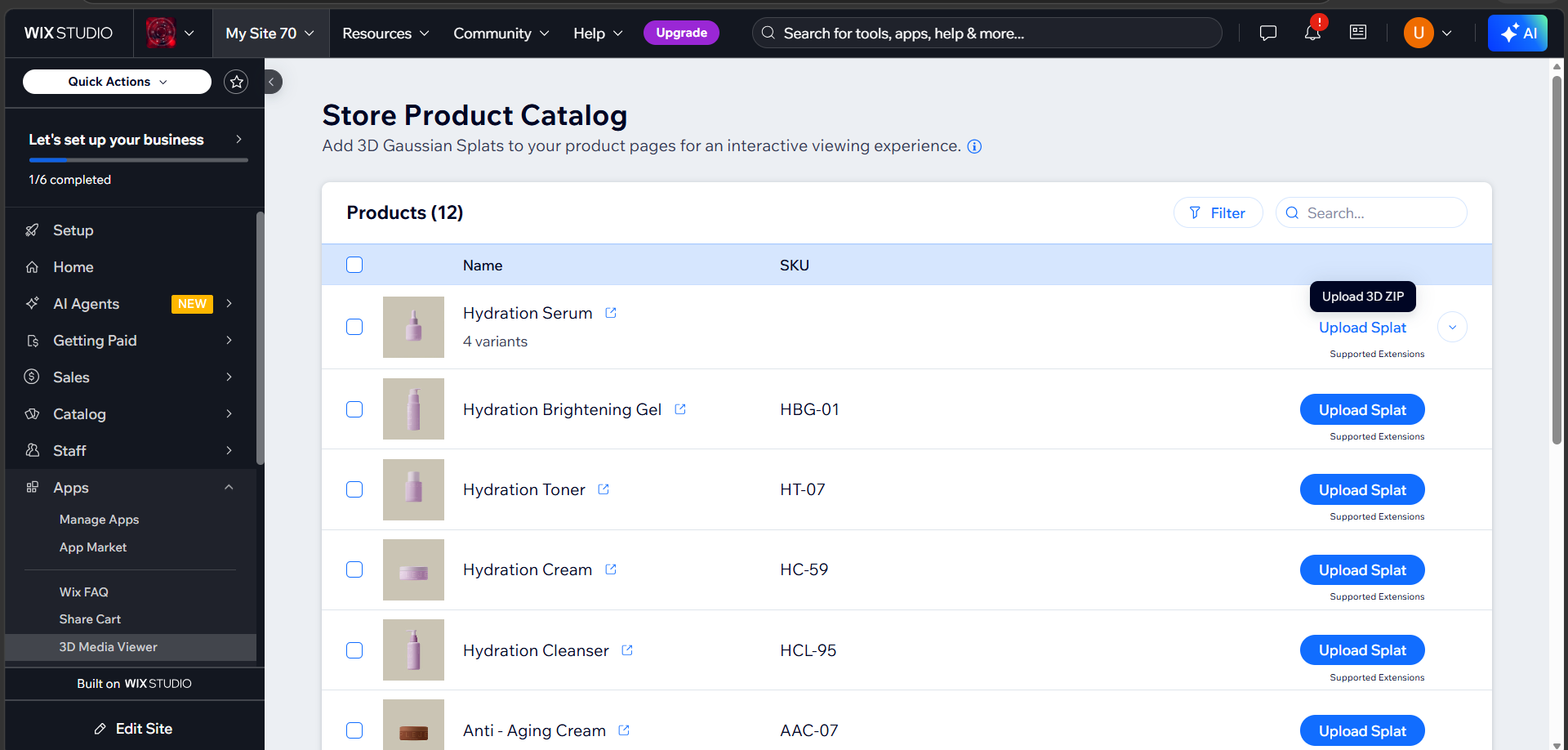
1. Click Upload Splat
Open Apps → 3D Media Viewer, find the product, and click Upload Splat in its row. A tooltip reads Upload 3D ZIP.
2. Choose your ZIP
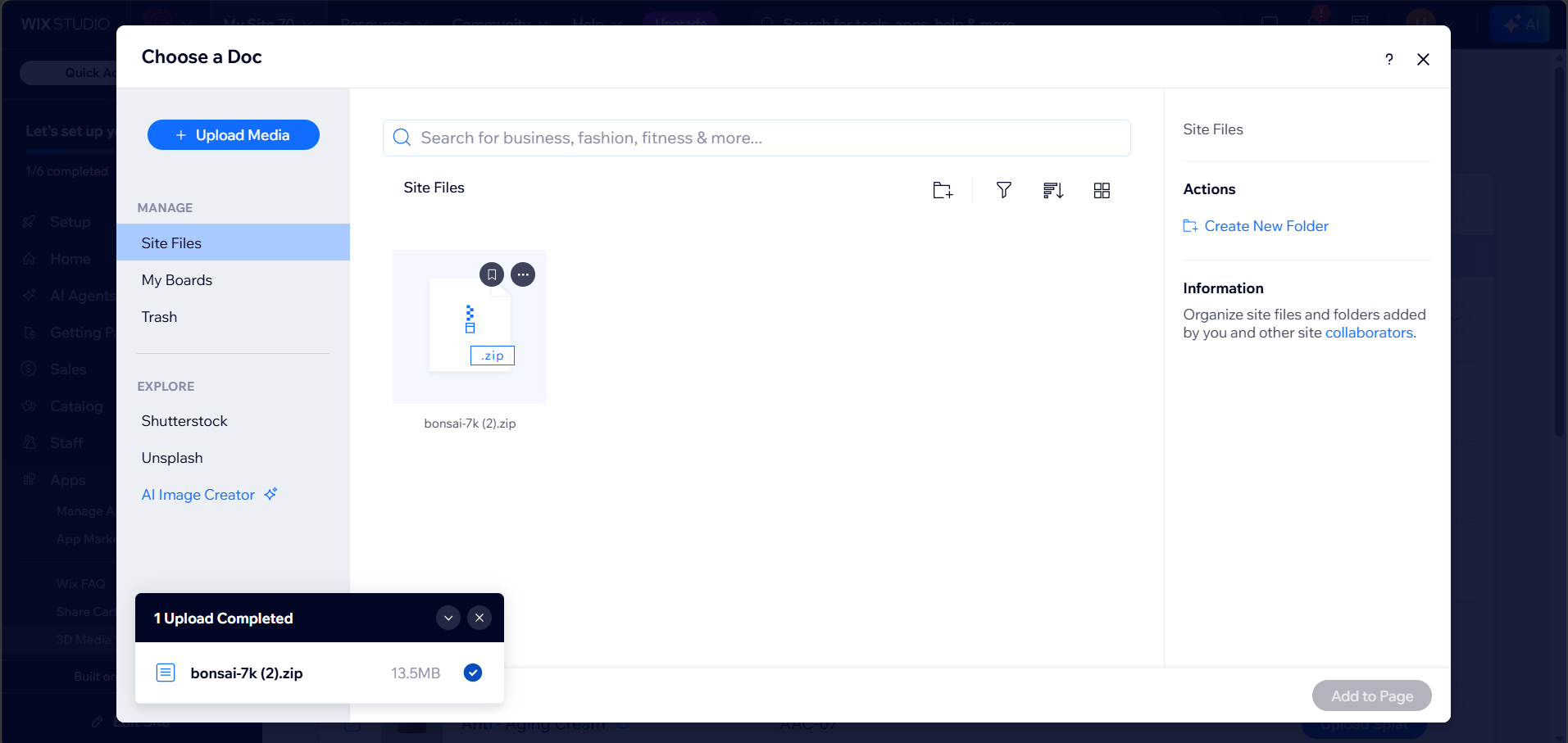
Your site's file picker opens. Click Upload Media to add the ZIP from your computer, or pick one that is already in Site Files. Select it and click Add to Page.
3. Wait for the upload
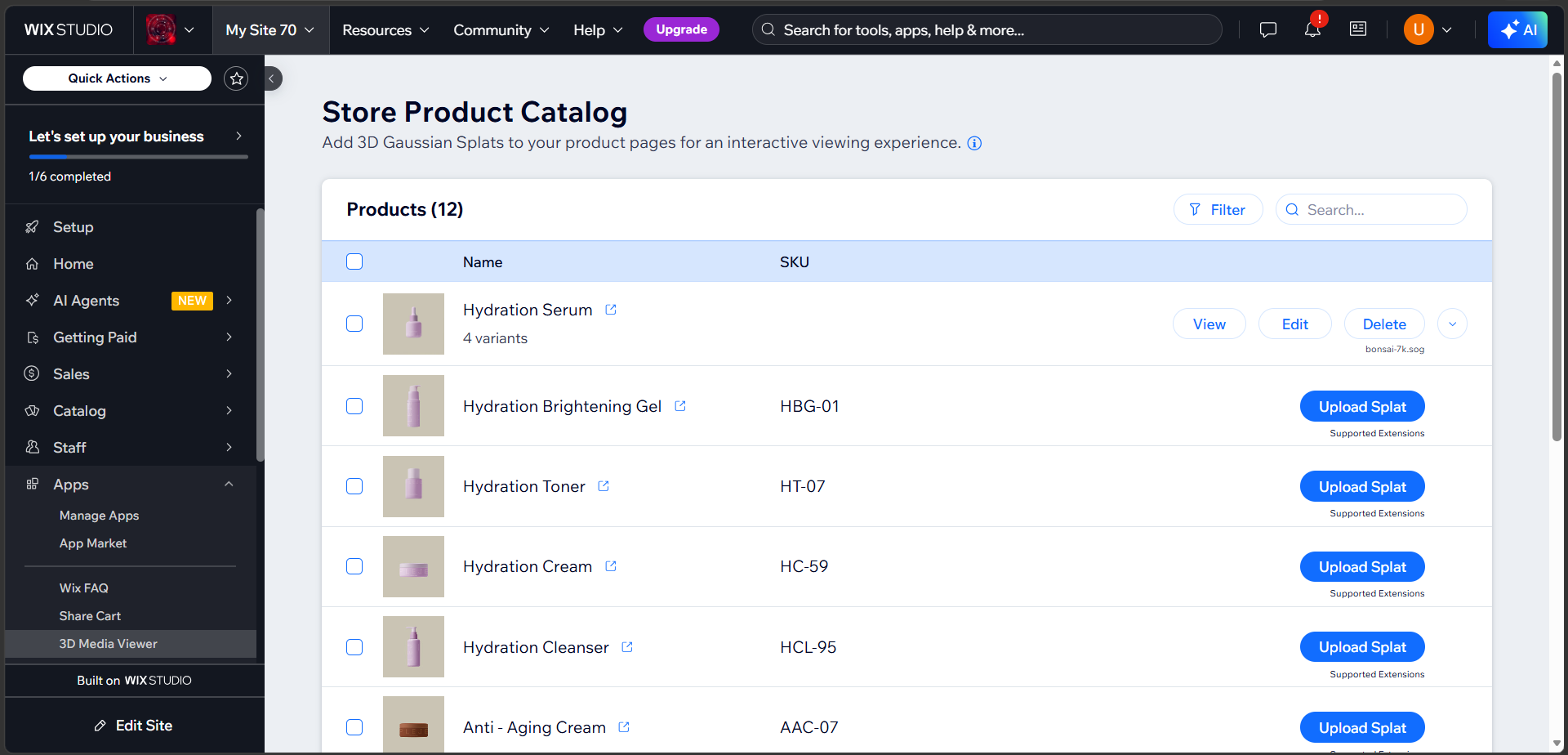
The button reads Uploading... while the file is checked and saved. When it finishes, the row shows View, Edit and Delete. The name of your 3D file, for example bonsai-7k.sog, appears under the buttons.
Checked before it is saved
The dashboard opens your ZIP and checks it first. If something is wrong, you see a message that names the problem and nothing is saved. See Troubleshooting.
The initial view image
An initial view image is created for you automatically.
| Tooltip on View | Meaning |
|---|---|
| Initial View | The image is ready. Click View to preview it. |
| Creating The Initial View... | The image is still being created. View is disabled until it is done. |
| The Initial View Could Not Be Created | Creation failed. The button reads Retry. Click it to try again, or use Edit to set the view yourself. |
If your ZIP contains a poster image, that image is used. Otherwise the dashboard photographs the model in the background. See Initial view.
Replace a file
Click Delete, then upload the new ZIP. You can also select the product and use Upload For Selected, which replaces the file. See Dashboard overview.
Delete a file
Click Delete and confirm. This removes the 3D file from the product, and also removes the uploaded ZIP and its initial view image from your site's Media Manager. The row goes back to Upload Splat.
Deleting a product's file
A product's variants use the product's file by default. Deleting it removes the file from the variants too.
Tip
Long file names are shortened in the row. The full name is kept.